CapCut Cinematic Bike Reel Template: Night Ride Editing Ideas
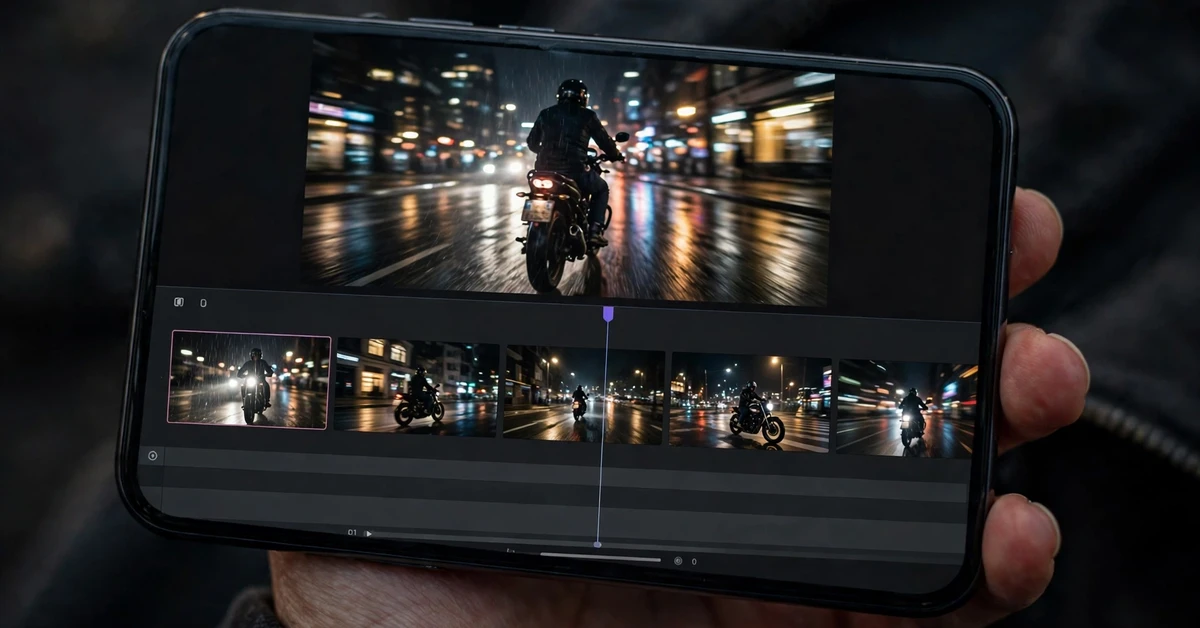
Night rides look cinematic almost by themselves. Street lights streak past, headlights cut through the dark, and the city becomes a moving backdrop. The hard part is turning shaky, uneven ride footage into a short reel that feels deliberate rather than random. That is exactly what this guide is for: it shows you how to plan, shoot and edit a CapCut Cinematic Bike Reel Template style video, using clips you already have and tools inside CapCut’s free editor.
You do not need a professional camera or a large crew. A phone, a secure mount, a few well-chosen clips and a patient edit are enough. The ideas below focus on pacing, light, sound and clean cuts, so your reel feels like a short film instead of a slideshow of ride clips.
Quick answer: Start with your strongest night clip, cut on the beat, keep each shot short, use slow motion sparingly for light trails and arrivals, add simple text only where it helps the story, and export in high quality. Build the edit in CapCut yourself following the steps in this guide; no template link or file is provided with this article.
18 Cinematic Bike Reel Editing Ideas for Night Rides
Use these ideas as a menu, not a checklist. Pick five to eight that suit your footage, then build the reel around them. A short reel with a clear idea always beats a long reel that tries everything at once.
1. Open on the headlight, not the whole bike
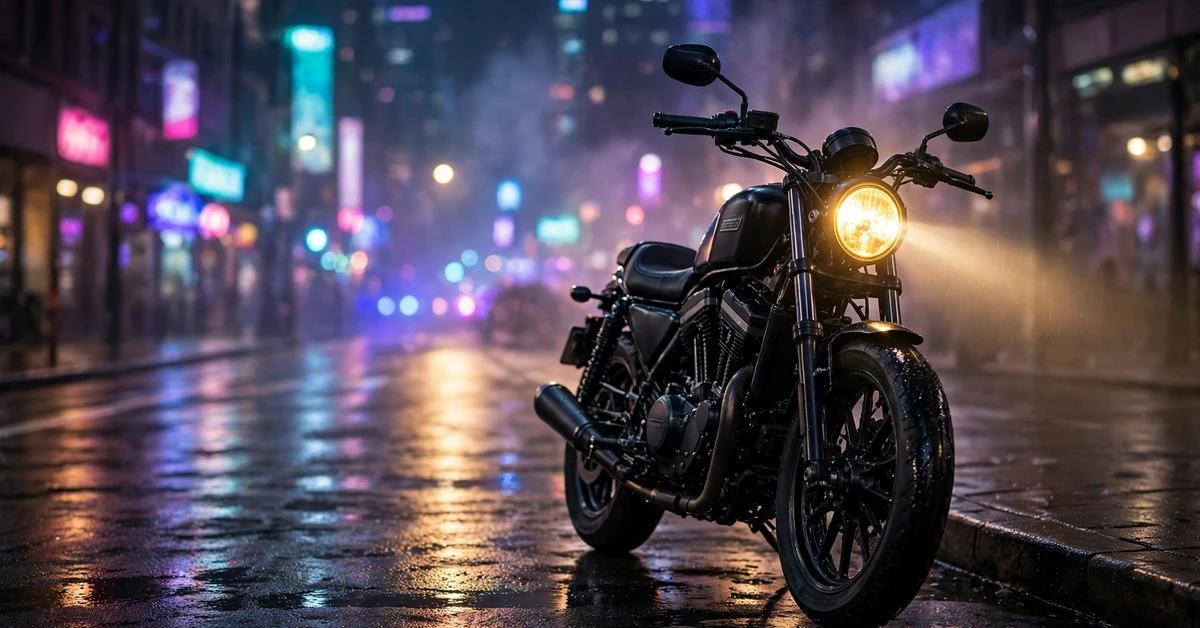
Start with a tight shot of the headlight switching on, or the beam hitting the road. Darkness around the light creates instant contrast and tells the viewer this is a night story. Hold the shot for about one second, then cut to a wider moving shot on the beat. This opening works because it gives the eye one bright subject before the scene gets busy.
2. Let the first beat drop do the reveal
Choose a track with a clear beat drop, then place your best moving clip exactly on that drop. Keep the clips before the drop short and slightly darker, so the reveal feels bigger. In CapCut, place a marker on the drop, then drag your hero clip so its first moving frame lands on it. Avoid adding a flash or shake effect here; the cut itself is the effect.
3. Use light trails as natural transitions
When a street light or passing car crosses the frame, cut at that moment. The streak of light hides the cut and makes the edit feel smooth. Look through your footage for these natural wipes: tunnel lights, signboards, headlights from the opposite lane and reflections on wet roads. Two or three of these are enough for a whole reel.
4. Slow down the arrival, not the whole ride
Slow motion is most powerful when it is rare. Slow a two-second arrival, a turn into a lit street, or a stop at a viewpoint to half speed, and keep the riding clips at normal speed. In CapCut, split the clip at the arrival, apply speed to that segment only, and check that the motion still looks smooth. If it stutters, shorten the slow segment instead of slowing it further.
5. Cut between rider, road and city in a repeating rhythm
A simple pattern keeps viewers oriented: rider shot, road shot, city shot, then repeat with new angles. This rhythm stops the reel from becoming only handlebar footage or only distant shots. Aim for shots of one to two seconds each during faster music, and two to three seconds during calmer music.
6. Make reflections do the storytelling
Wet roads, shop windows, fuel-station canopies and helmet visors all reflect night light beautifully. A short reflection shot between riding clips adds texture without needing new locations. Keep the reflection clip brief, about one second, so it feels like a detail rather than a detour from the ride.
7. Use a steady speed ramp for overtakes and open stretches
For an open stretch, start at normal speed, ease into a slightly faster speed for two seconds, then return to normal speed as the scene changes. A gentle ramp feels cinematic; a sudden jump to very fast speed usually looks rushed. Test the ramp at full-screen preview before moving on, because small speed changes are hard to judge on a tiny timeline preview.
8. Match the colour of the scene before adding any filter
Night footage often mixes warm street lights and cool headlights, which can make consecutive clips clash. Before applying a filter, adjust brightness and saturation slightly so neighbouring clips feel like one scene. Then apply one consistent filter at low strength across the reel. One look, applied evenly, is far more cinematic than a different filter on every clip.
9. Add text like a film title, not a caption dump
Use short text: a place name, a time such as “Night Ride”, or a single line that sets the mood. Place it in the first two seconds or over a calm moment, not over fast riding. Keep the font clean, the size readable and the duration short. If the viewer has to pause to read, the text is too long.
10. Let engine and city sound breathe under the music
Music carries the reel, but a little real sound makes it feel present. Keep a low level of original audio under the music during an arrival, a tunnel section or a stop. In CapCut, lower the music volume slightly for those two to three seconds rather than cutting the music out completely. The blend should feel natural, not like two separate videos joined together.
11. Build a three-part mini story: leave, ride, arrive
Give the reel a simple arc. Part one: getting ready and leaving a lit spot. Part two: the ride itself, with your best moving shots. Part three: arrival at a viewpoint, cafe or quiet street, ending on a still, well-lit frame. Even a fifteen-second reel benefits from this shape, because the viewer senses a beginning and an ending.
12. Use the tunnel moment as your centrepiece
If your route includes a tunnel, underpass or covered stretch, save it for the middle of the reel. The repeating lights create rhythm on their own, so keep effects away and let the footage lead. Cut into the tunnel on a beat, hold it for three to four seconds, then cut out on the next beat as daylight-style street light returns.
13. Frame the rider small against a big city backdrop
Not every shot needs a close-up. A wide shot with the rider small against flyovers, skyline lights or a long empty road gives scale and calm. Place one wide shot after two fast clips to let the viewer breathe. This contrast between fast and wide is a classic cinematic trick, and it costs nothing extra to shoot.
14. End on a still frame, not a sudden cut
Choose a final frame that can hold for a second: the bike parked under a light, the rider looking at the city, or the road stretching ahead. Let the music fade slightly over that last second instead of stopping abruptly. A calm ending makes the reel feel finished and makes viewers more likely to watch it again.
15. Reuse one location in three different ways
You do not need five locations. Film one good spot three ways: a moving pass, a parked detail shot and a wide shot from the pavement. Edited together, these feel like a richer route than they are. This is especially useful when time is short or when you only have footage from a single evening ride.
16. Keep the rider’s face out unless you planned the shot
Helmet, silhouette and back views usually look more cinematic than an accidental half-lit face. If you want a face shot, plan it at a stop with good light, rather than grabbing it mid-ride. This also keeps the focus on the ride and the city, which is where the cinematic feeling comes from.
17. Edit for the phone screen first
Most viewers will watch on a phone, held vertically, often without sound at first. Check that the main subject is centred, that text is large enough, and that the first two seconds work even on mute. If a shot only makes sense with sound or on a big screen, shorten it or move it later in the reel.
18. Save a clean version before adding final effects
Before you add transitions, filters and text, export or duplicate a clean cut of the reel. If an effect later looks wrong, you can return to the clean version instead of rebuilding the whole timeline. This one habit saves more editing time than any single effect, especially on longer night-ride projects.
Full Step-by-Step Workflow in CapCut
Start a new project in CapCut and import your night-ride clips. Watch all of them once and mark your favourites: the best opening shot, the best moving shot, the best arrival and one calm ending frame. Delete blurry, duplicated or badly exposed clips now, so the timeline stays manageable.
Arrange the clips in story order: leave, ride, arrive. Trim each clip to its best one to three seconds, cutting out the shaky start and end of each shot. Place your music track, find the beat drop, and shift clips so key moments land on beats. Add slow motion only to the arrival or centrepiece segment, then apply one consistent filter at low strength.
Next, add text sparingly, adjust the balance between music and original audio, and check the whole reel at full-screen preview twice: once with sound and once on mute. Fix any cut that feels abrupt, any clip that runs too long, and any text that is hard to read. Export a draft, watch it outside CapCut, and only then make final small changes. Watching outside the editor catches problems the timeline hides.
Organisation helps at this stage too. If you filmed at several stops, keep the clips from each stop together in story order rather than mixing them by accident. When a clip does not fit the story, move it to the end of the timeline instead of deleting it immediately; you may find a use for it as a closing detail or in a second reel. Finally, name your project clearly, for example with the route and date, so you can find the clean cut later if you want to re-edit it for a different track or length.
Settings and Tips for Night Footage
Night footage benefits from small, careful adjustments. Raise brightness only slightly; pushing it too far makes the dark sky grey and noisy. Reduce highlights a little if street lights blow out, and keep saturation moderate so red brake lights and amber street lights do not overpower the scene. Sharpening should stay low, because heavy sharpening makes night noise more visible.
For transitions, prefer simple cuts and the occasional dissolve between calm shots. Flashy transitions compete with the light trails and motion already in the footage. For text, use a clean sans-serif style, white or light colour, and place it away from busy light sources. For audio, keep the music volume steady and dip it only for short natural-sound moments.
A practical tip: keep the reel between fifteen and forty-five seconds. Shorter reels hold attention and force you to keep only the best shots. If you have more good footage, make a second reel rather than stretching one reel until the pacing collapses.
For audio, choose music that leaves room for the visuals. A track with a steady beat and a clear drop is easier to cut to than a track that changes tempo halfway through. Listen to the full track before editing, not just the first ten seconds, so you know where the quiet sections and the peaks fall. When you export, choose a high-quality export option and check the finished file on your phone before sharing it anywhere, since that is the screen most viewers will use.
Common Mistakes to Avoid
The most common mistake is using slow motion everywhere. When every clip is slow, nothing feels special, and the reel drags. Another mistake is changing filters mid-reel, which breaks the cinematic look. A third is adding text over every clip, which turns a film-like reel into a presentation.
Also avoid starting with your weakest clip while saving the best for last; many viewers decide within two seconds. Avoid very long single shots of an empty road, and avoid ending mid-motion with the music cut off. Finally, do not add loud sound effects over every cut. One or two well-placed natural sounds are enough.
Another frequent mistake is filming without a plan for the edit. Riding for an hour and hoping the edit will find itself usually produces long, repetitive footage with no clear opening or ending. Before you set off, decide on the route, the one location you want as a centrepiece, and the closing shot. You do not need a detailed script, but a rough plan means you come home with clips that actually fit together, and the edit takes half the time.
Troubleshooting
Footage looks too dark after export. Raise brightness slightly on the darkest clips only, and check the export on a phone rather than only in the editor. Editor previews can look brighter than the final file on some screens.
Slow motion looks choppy. Shorten the slow segment, or use a milder slowdown. Footage shot at a low frame rate cannot be slowed as far as high-frame-rate footage, so keep slow sections brief.
Music and cuts feel out of sync. Find the exact beat drop by listening with the waveform visible, place a marker, and nudge the clip by a few frames at a time. Small nudges matter more than big moves here.
Colours clash between clips. Apply the same filter at the same strength to all clips, and adjust the most different clip individually until it sits comfortably beside its neighbours.
The reel feels long even though it is short. Remove the weakest clip, not the shortest one. One unnecessary shot can make a whole reel drag, while a strong short shot keeps energy up.
Text is hard to read over bright lights. Move the text to a darker part of the frame, shorten it, or place it over a calmer clip. If it still competes with street lights and signboards, remove it; a reel without text is better than a reel with text nobody can read.
FAQ
How long should a cinematic bike reel be?
Between fifteen and forty-five seconds works best. That length fits short-form viewing habits and forces you to keep only the strongest shots. If you have more good material, split it into a second reel.
Do I need special equipment for night bike reels?
No. A phone and a secure mount are enough to start. Good planning, stable mounting and careful editing matter more than extra gear. Only add equipment once you know which shots you actually use most.
How much slow motion should I use?
Use it for one or two moments per reel, such as an arrival or a tunnel centrepiece. Keeping slow motion rare is what makes those moments feel cinematic instead of ordinary.
Which transitions work best at night?
Simple cuts work best, with an occasional dissolve between calm shots. Natural light wipes, such as a passing street light crossing the frame, also hide cuts beautifully without any added effect.
Can I edit this style fully in CapCut’s free editor?
Yes. Trimming, splitting, speed changes, filters, text, audio mixing and export are all covered by the core editing tools described in this guide. You build the edit yourself in CapCut; no template file is needed.
Is it safe to film while riding?
Only film with a proper secure mount and permission where needed, and never ride dangerously, speed, or take risks for a reel. Plan shots in advance, keep your attention on the road, and capture detail shots while parked. If a shot would require unsafe riding, skip it.
Conclusion
A cinematic night bike reel is not about expensive gear or complicated effects. It is about choosing a few strong shots, cutting them to the beat, letting light and motion do the work, and ending on a calm frame. Start with the ideas in this guide, build one short reel, watch it critically, and improve one thing in the next one. That steady loop is how a consistent, recognisable editing style develops.