Diwali AI Family Photo Prompts 2026: Festive Portrait Ideas
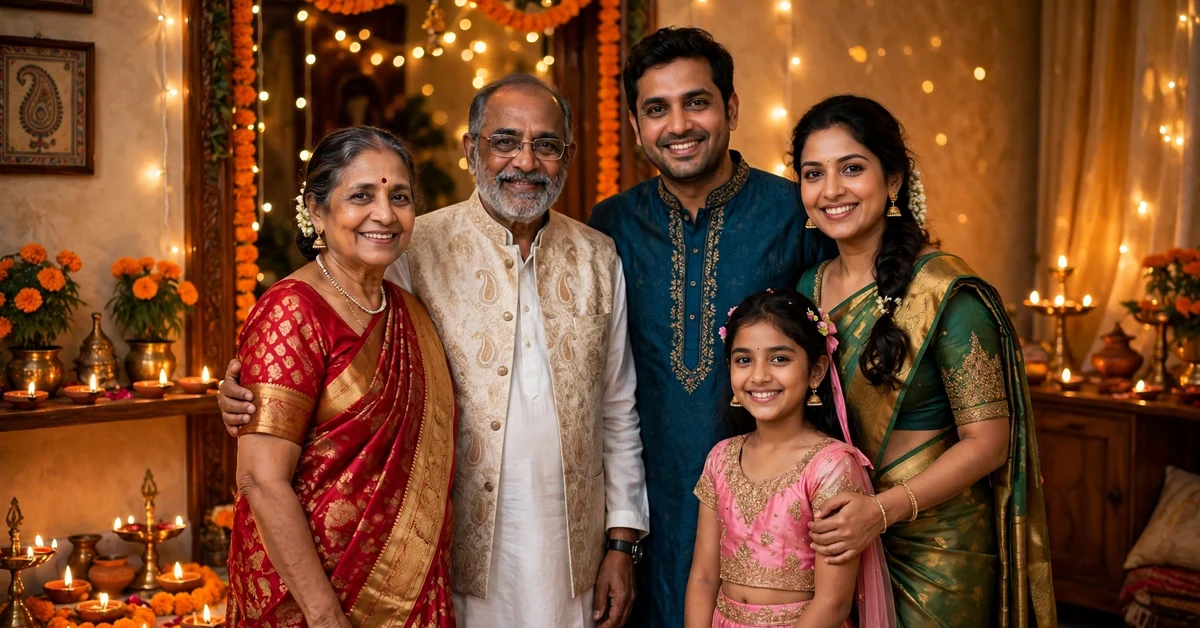
Diwali is the festival families photograph most, and the family portrait is the photo everyone keeps. Parents in traditional outfits, children with sparklers or diyas, grandparents smiling in the middle, and the whole home glowing behind them: diyas on every step, rangoli at the door, fairy lights on the balcony, and marigold garlands on the gate.
You do not need a new photoshoot to get that portrait. Take one clear family photo, upload it to a Gemini or Nano Banana style photo editing tool, paste a prompt from below, and let the tool rebuild the festive background, light, and decorations around you, while your real faces stay the same.
Quick answer: Diwali 2026 falls on 8 November 2026. For the most natural result, use a clear, front-facing family photo, choose a prompt below that matches how many people are in it, paste it exactly as written, and download the largest size offered. Check faces, hands, and diyas carefully before sharing.
Diwali AI Family Photo Prompts: Copy and Paste Collection
All 20 prompts keep the festival story correct: diyas, rangoli, lights, sweets, and traditional outfits, with no fireworks near faces and no invented rituals. Group photos suit wide and terrace scenes; smaller families suit close and entrance scenes.
1. Classic Diya Terrace Family Portrait
The traditional terrace portrait with the whole family and rows of glowing diyas. Best for: the main Diwali family photo. Aspect ratio: 4:5.
2. Rangoli Entrance Family Portrait
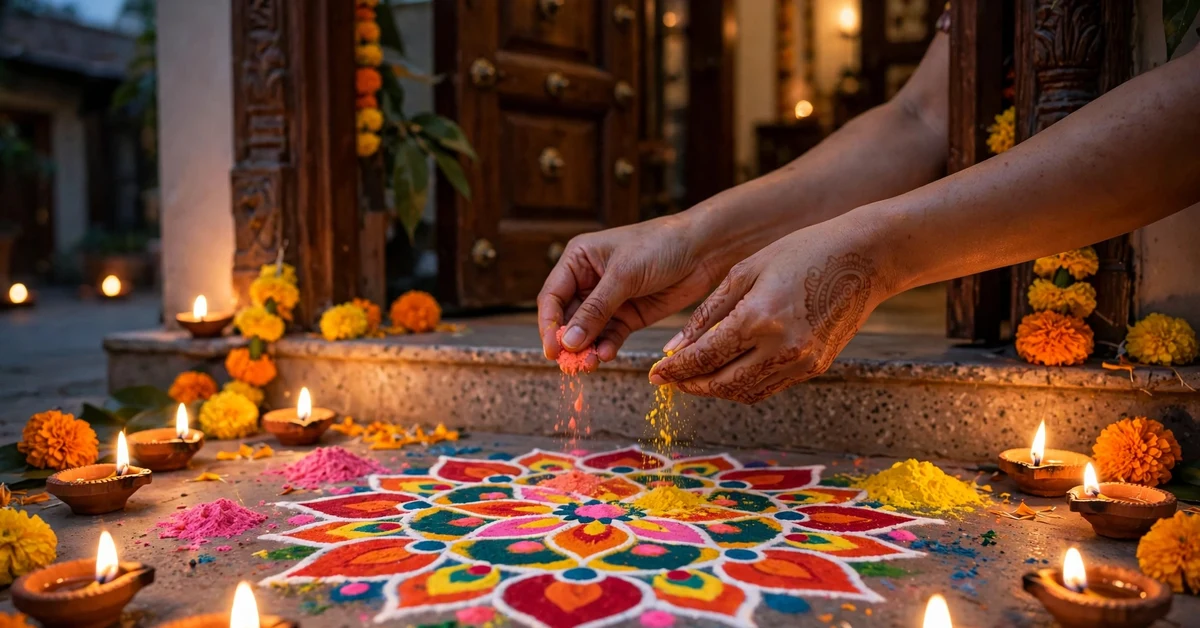
The family standing behind a colourful rangoli at the front door. Best for: a welcoming, traditional photo. Aspect ratio: 4:5.
3. Diya Lighting Together Close Portrait
A warm close scene of the family lighting diyas together. Best for: an emotional, intimate photo. Aspect ratio: 3:4.
4. Balcony Fairy Lights Celebration
A bright balcony portrait wrapped in strings of fairy lights. Best for: apartment families and vertical posts. Aspect ratio: 9:16.
5. Traditional Silk Outfits Heritage Portrait
A rich heritage look with silk outfits and a classic courtyard backdrop. Best for: a grand, timeless photo. Aspect ratio: 3:4.
6. Sweets Thali Family Moment
A joyful scene with the family sharing a sweets thali after Lakshmi Puja. Best for: a candid, happy photo. Aspect ratio: 4:5.
7. Grandparents in the Centre Portrait
An honouring portrait with grandparents seated in the middle. Best for: three-generation families. Aspect ratio: 4:5.
8. Children With Sparklers Safe Distance Portrait
Children holding sparklers at a safe distance, with adults behind them. Best for: a fun, sparkling photo. Aspect ratio: 16:9.
9. Lakshmi Puja Corner Family Portrait
The family beside a decorated puja corner with lamps and flowers. Best for: a devotional family photo. Aspect ratio: 4:5.
10. Garden Diya Night Portrait
A peaceful garden scene with diyas among plants and fairy lights. Best for: homes with a garden. Aspect ratio: 4:5.
11. Modern Minimal Diwali Family Portrait
A clean, modern portrait with one diya arrangement and calm space. Best for: modern families. Aspect ratio: 4:5.
12. Courtyard Lantern Evening Portrait
Paper lanterns, warm light, and the family in a courtyard. Best for: a cheerful evening photo. Aspect ratio: 3:4.
13. Matching Colour Family Portrait
The whole family in matching or coordinating festive colours. Best for: a striking, coordinated photo. Aspect ratio: 4:5.
14. Doorway Toran Welcome Portrait
The family framed in a doorway hung with marigold torans. Best for: a warm welcome photo. Aspect ratio: 3:4.
15. Rooftop Fireworks Sky Portrait
A wide rooftop portrait with distant fireworks in the sky. Best for: a celebratory wide photo. Aspect ratio: 16:9.
16. Vintage Film Diwali Family Portrait
A nostalgic film-style edit with grain and soft old-home charm. Best for: a timeless keepsake. Aspect ratio: 3:4.
17. Soft Pastel Festive Portrait
A gentle pastel version for families who prefer light, airy edits. Best for: a soft, elegant look. Aspect ratio: 4:5.
18. Sitting Room Diya Glow Portrait
A relaxed indoor portrait with diyas glowing around the family. Best for: indoor family photos. Aspect ratio: 4:5.
19. Staircase Diya Steps Portrait
The family arranged on steps lined with glowing diyas. Best for: large families. Aspect ratio: 9:16.
20. New Year Morning Family Portrait
A fresh morning-after portrait with leftover lights and new clothes. Best for: a calm closing photo. Aspect ratio: 4:5.
How to Use These Prompts Step by Step
Step 1: Choose the Right Base Photo
Pick a photo where every face is clear, well lit, and not covered by hair, hands, or shadow. Avoid group photos taken from far away. A simple photo taken in daylight, with everyone looking at the camera, edits far better than a dark evening shot.
Step 2: Upload the Photo
Open a Gemini or Nano Banana style photo editing tool, start a new edit, and upload your family photo. Choose the photo edit or image-to-image option, not text-to-image creation, so your photo stays as the base and faces stay recognisable.
Step 3: Paste One Complete Prompt
Copy one full prompt using the Copy Prompt button and paste it in one go. Never paste two prompts together. Mixed scenes confuse the tool and often damage faces and hands. Run one scene, check it, then try another separately from the original photo.
Step 4: Adjust Gently
If the tool offers strength or creativity controls, start in the middle. High strength changes faces more, while low strength may keep your old background. Change only one thing at a time, such as the outfit shade or the light warmth.
Step 5: Check and Download
Zoom in and check every face, hand, finger, diya flame, and rangoli edge. Then download the largest size offered and keep the original saved separately.
Best Settings and Aspect Ratios
Use 4:5 for most family portraits, 9:16 for stories and full-length vertical portraits, 16:9 only for wide rooftop and garden scenes, and 3:4 for close-ups where faces, jewellery, and diyas matter most.
- Face preservation: choose the highest face-identity or lowest change option available.
- Output size: always pick the largest download size, then crop later if needed.
- Variations: generate two or three versions and keep the cleanest one.
- Colour: if a red outfit turns orange, add a short follow-up asking for deeper true red while keeping faces unchanged.
How to Keep Every Face Unchanged
Your base photo does most of the work: good light on every face, no sunglasses, no heavy filter, and no face turned fully sideways. Every prompt here asks the tool to preserve your real faces, so keep that line in place.
Avoid words like beautiful face, fair skin, slim face, or young look, because they invite the tool to redesign faces. Describe outfits and light instead. If a result changes a face, return to the original photo and run the prompt again.
Common Mistakes to Avoid
- Blurry base photo: the tool cannot invent sharp real faces, so the result looks painted.
- Mixing festivals: do not add Holi colours, Christmas trees, or wedding garlands. Diyas, rangoli, and lights are enough.
- Overloading the scene: a palace, garden, rooftop, and temple in one prompt creates a messy background.
- Ignoring hands: always zoom in on hands holding diyas, sparklers, or sweets before sharing.
- Adding text in the image: AI tools often misspell festival words. Add wishes or names later in a normal editing app.
- Crowded framing: if the tool adds extra people, rerun the prompt with the group size stated plainly.
Troubleshooting: When the Edit Looks Wrong
Faces Changed Too Much
Return to the original photo, reduce edit strength if available, and use a simpler scene, such as the modern minimal or pastel prompt.
Diyas or Rangoli Look Strange
Ask in a follow-up for a simple row of small clay diyas and one round rangoli. If it still fails, choose a prompt where diyas rest on a table or steps.
Hands or Fingers Look Distorted
Use close-up prompts only when your base photo shows clear hands. Otherwise choose a wide or waist-up scene, where hands are smaller and simpler.
Colours Look Wrong
Correct one thing at a time: softer fairy light, warmer diya glow, or deeper red outfits. Large rewrites usually break parts that were already correct.
Frequently Asked Questions
When is Diwali in 2026?
Diwali 2026 falls on 8 November 2026. Try your edit a few days earlier, because a good result may need two or three attempts.
Which prompt is best for a first try?
Start with the Classic Diya Terrace Family Portrait or the Modern Minimal Diwali Family Portrait. Both use a simple background and a clear group frame, giving the tool less to get wrong.
Can I use these prompts with a selfie?
Yes, if every face is clear and the selfie is not too close or steep-angled. A timer photo from a little distance looks more natural for a family group.
Why does the tool keep changing our faces?
Usually because the base photo is dark, filtered, or small, or the edit strength is too high. Use a clearer original and keep the face-preservation line.
Which aspect ratio is best for WhatsApp and Instagram?
Use 4:5 for Instagram feed posts and WhatsApp sharing, 9:16 for stories and status updates, and 16:9 only for wide scenes.
Can I edit a photo where we are not wearing festival clothes?
Yes. The prompts describe the outfits, jewellery, and decorations, so normal clothes can still be transformed. Similar hairstyles in the base photo help.
Conclusion
A good Diwali family portrait is about the right details in the right order: the diyas, the rangoli, the lights, the traditional outfits, and every real face kept unchanged. Choose one scene, paste the full prompt, protect your faces, and check the hands and diyas before you share. Your 8 November 2026 family photo deserves that one careful pass.
Related Guides
Continue your festival photo editing with these guides on Rajan Template: