Diwali AI Video Prompts 2026: Diyas, Rangoli and Celebration Scenes
Diwali is a festival of movement: flames flickering, diyas being lit one by one, rangoli colours spreading across a doorstep, fairy lights twinkling, and families gathering on terraces. A still photo captures one second of that. An AI video prompt captures the motion, and turns a single photo or a short line of text into a living celebration scene.
AI video tools can animate your own photo, or build a short scene from a written description. The prompts below describe camera movement, light, and action clearly, so the tool produces a smooth, festive clip instead of a shaky or confused one. They use only your own photos and original descriptions, never anyone else’s footage.
Quick answer: Diwali 2026 falls on 8 November 2026. For the best result, use a clear photo or a detailed prompt below, ask for slow camera movement, keep the clip short at 5 to 10 seconds, and check faces, hands, and flames before sharing.
Diwali AI Video Prompts: Copy and Paste Collection
All 20 prompts describe real festival motion: diyas flickering, rangoli being drawn, lights twinkling, and families celebrating, with no fireworks near faces and no invented rituals. Portrait prompts suit reels and stories; wide prompts suit landscape celebration videos.
1. Diya Lighting Slow Reveal Video
A slow camera reveal as diyas are lit one by one on a terrace. Best for: the opening Diwali clip. Aspect ratio: 9:16.
2. Rangoli Drawing Time-Lapse Video
A top-down view of a rangoli blooming colour by colour. Best for: a satisfying, shareable clip. Aspect ratio: 1:1.
3. Terrace Lights Twinkle Evening Video
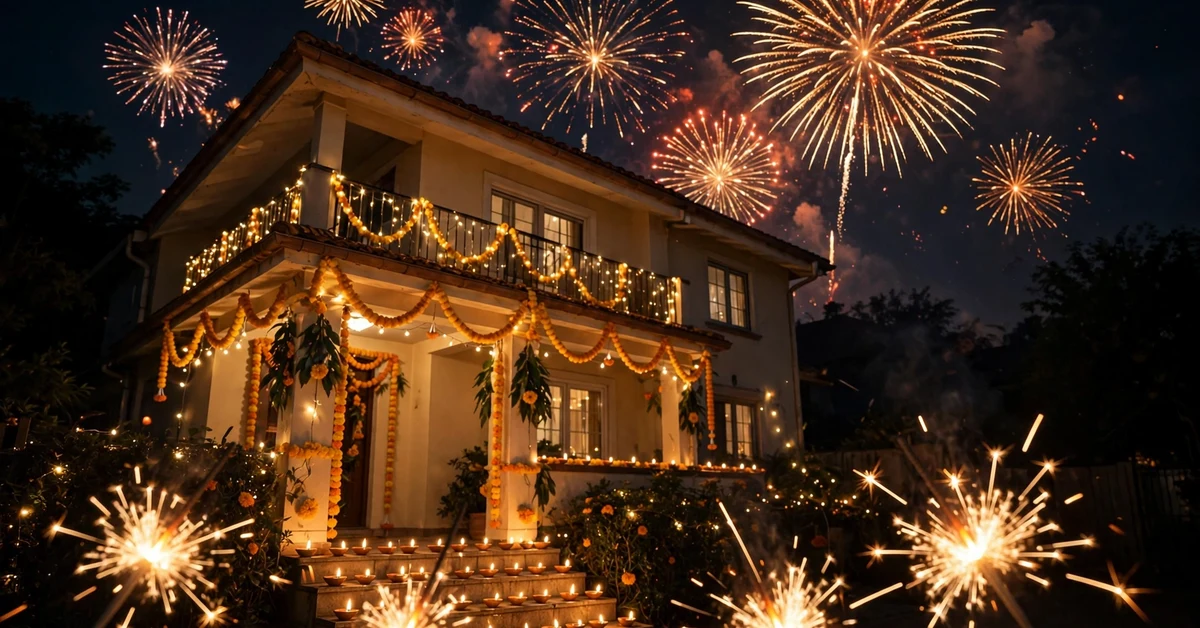
A slow pan across a terrace glowing with fairy lights and diyas. Best for: an atmospheric evening clip. Aspect ratio: 16:9.
4. Family Diya Celebration Portrait Video
A family portrait that comes alive with diyas and smiles. Best for: animating a family photo. Aspect ratio: 4:5.
5. Entrance Toran Welcome Video
A slow walk-through of a doorway hung with marigold torans. Best for: a welcoming clip. Aspect ratio: 9:16.
6. Sparkler Trails Night Video
Safe-distance sparkler trails drawn in the night air. Best for: a fun sparkling clip. Aspect ratio: 9:16.
7. Puja Thali Aarti Flame Video
A gentle aarti flame circling in a decorated puja corner. Best for: a devotional clip. Aspect ratio: 4:5.
8. Balcony Fireworks Sky Video
A wide balcony view with distant fireworks blooming in the sky. Best for: a celebratory wide clip. Aspect ratio: 16:9.
9. Sweets Thali Sharing Video
A warm clip of sweets being shared from a thali after puja. Best for: a joyful family moment. Aspect ratio: 4:5.
10. Garden Diya Path Glow Video
A slow walk along a garden path lined with glowing diyas. Best for: a peaceful night clip. Aspect ratio: 16:9.
11. Traditional Outfit Twirl Lights Video
A graceful twirl in a traditional outfit among fairy lights. Best for: animating an outfit photo. Aspect ratio: 9:16.
12. Courtyard Lantern Sway Video
Paper lanterns swaying gently in a decorated courtyard. Best for: a dreamy evening clip. Aspect ratio: 3:4.
13. Children Diya Parade Video
Children carrying small diyas along a decorated corridor. Best for: a heartwarming family clip. Aspect ratio: 9:16.
14. Rooftop Diya Rows Night Video
A slow pan across rooftop rows of glowing diyas. Best for: a grand night panorama. Aspect ratio: 16:9.
15. Morning After Lights Video
A calm morning-after view of leftover lights and marigolds. Best for: a gentle closing clip. Aspect ratio: 4:5.
16. Staircase Diya Steps Video
A slow descent past steps lined with glowing diyas. Best for: a dramatic entrance clip. Aspect ratio: 9:16.
17. Couple Diya Portrait Motion Video
A couple portrait that comes alive with diya light. Best for: animating a couple photo. Aspect ratio: 4:5.
18. Market Lights Festival Video
A lively walk through a Diwali market glowing with lights. Best for: a bustling celebration clip. Aspect ratio: 16:9.
19. Diya Reflection Water Video
Floating diyas reflected in calm water at night. Best for: a serene, beautiful clip. Aspect ratio: 16:9.
20. Grand Finale Lights Montage Video
A sweeping finale across diyas, rangoli, and lights together. Best for: the closing Diwali clip. Aspect ratio: 9:16.
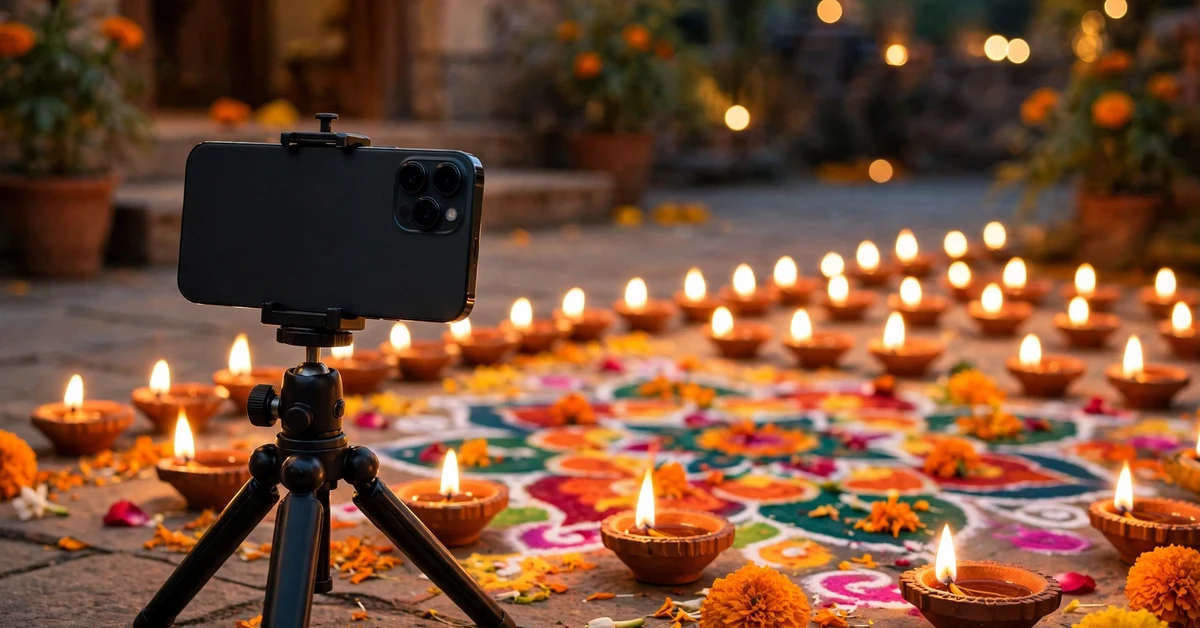
How to Use These Prompts Step by Step
Step 1: Choose Photo-to-Video or Text-to-Video
Photo-to-video animates your own photo and keeps faces recognisable, so use it for family and couple clips. Text-to-video builds a scene from words alone, so use it for decoration, rangoli, and landscape clips where no real person appears.
Step 2: Paste One Complete Prompt
Copy one full prompt using the Copy Prompt button and paste it in one go. Never paste two prompts together. Mixed scenes confuse the tool and often produce jerky motion or warped faces. Run one scene, check it, then try another.
Step 3: Set Motion and Length
Choose slow or medium motion and a length of 5 to 10 seconds. Fast motion settings create shaky, distorted clips, especially with hands and flames. Short clips also loop cleanly on Instagram and WhatsApp status.
Step 4: Check the First Frames
Watch the first two seconds closely. If a face warps or a diya flame splits, stop and regenerate from the same prompt rather than accepting a flawed clip. Two regenerations usually fix most motion errors.
Step 5: Download and Trim
Download the largest size offered, trim any shaky start or end frames in a normal editor, and keep the original photo saved separately.
Best Settings and Camera Tips
Slow camera movement is the single most important setting. A slow dolly, pan, or tilt looks cinematic; a fast or random movement looks amateur. Ask for the camera move by name in the prompt, and keep it to one move per clip.
- Camera: one slow move per clip: dolly, pan, tilt, or still camera.
- Length: 5 to 10 seconds, so the clip loops cleanly on Reels and status.
- Motion strength: low or medium for people, medium for flames and lights.
- Aspect ratio: 9:16 for Reels and stories, 16:9 for wide celebration scenes.
- Faces: for photo-to-video, add “preserve the real face exactly” and check the result frame by frame.
How to Keep Faces and Hands Natural
Video tools struggle most with faces and hands in motion. Use photo-to-video for people, keep the motion subtle, and avoid prompts that ask people to dance, wave, or move quickly. Describe small movements only: a gentle smile, a slight head turn, hands lighting a diya slowly.
If a face morphs mid-clip, shorten the clip to the clean first seconds, or switch to a decoration-only scene. Never share a clip where a real person’s face warps, even briefly.
Common Mistakes to Avoid
- Too much motion: asking for dancing, running, or fast camera moves creates warped bodies and faces.
- Mixing scenes: a rangoli, market, rooftop, and temple in one prompt creates a confused, jumping clip.
- Fireworks near faces: keep fireworks distant in the sky, never beside a person.
- Ignoring the first frames: most errors appear in the first second. Watch it before sharing.
- Overlong clips: a 20-second AI clip usually drifts off-scene. Keep it short and loopable.
- Adding text in the video: AI tools often misspell festival words. Add wishes or names later in a normal editing app.
Troubleshooting: When the Video Looks Wrong
The Face Warps Mid-Clip
Shorten the clip to the clean opening seconds, lower the motion setting, and use a still camera with subtle motion only. If it still warps, use a decoration-only prompt instead.
Hands or Diyas Look Distorted
Ask in a follow-up for slow hand motion and one diya at a time. If it still fails, choose a wide or still-camera scene, where hands are smaller and simpler.
The Camera Shakes or Jumps
Regenerate with a still camera or a named slow move, such as “slow left-to-right pan”. Avoid prompts that mention handheld or walking unless the tool handles them well.
Colours Look Wrong
Correct one thing at a time: warmer diya glow, softer fairy light, or deeper night blue. Large rewrites usually break parts that were already correct.
Frequently Asked Questions
When is Diwali in 2026?
Diwali 2026 falls on 8 November 2026. Try your video a few days earlier, because a good result may need two or three attempts.
Which prompt is best for a first try?
Start with the Diya Lighting Slow Reveal Video or the Terrace Lights Twinkle Evening Video. Both use slow camera movement and simple scenes, giving the tool less to get wrong.
Can I animate my own family photo?
Yes, with photo-to-video prompts such as the Family Diya Celebration Portrait Video. Keep the motion subtle and check every face frame by frame before sharing.
Why does the video keep warping faces?
Usually because the motion setting is too high, the clip is too long, or the prompt asks for fast movement. Use slow motion, a short clip, and a still camera.
Which aspect ratio is best for Instagram Reels?
Use 9:16 vertical video for Reels and stories, and 16:9 only for wide celebration scenes that you plan to post as landscape video.
Can I add music to my AI Diwali video?
Yes, add music afterwards in a normal editor or inside Instagram, using the platform’s own music library, so the clip is far less likely to be muted.
Conclusion
A good Diwali AI video is about slow motion and the right details: diyas flickering, rangoli blooming, lights twinkling, and faces kept still and real. Choose one scene, paste the full prompt, keep the camera slow, and check the first seconds before you share. Your 8 November 2026 Diwali clip deserves that one careful pass.
Related Guides
Continue your festival video and photo editing with these guides on Rajan Template: