CapCut Malayalam Aesthetic Template: Slowmo and Photo Transitions
Malayalam aesthetic reels have a quiet, warm feeling that is easy to recognise: golden evening light, a slow walk through greenery, a favourite song playing softly, and photos that fade into each other instead of jumping. The edits rarely rush. They let one moment breathe before the next one arrives, and that patience is what makes them feel beautiful rather than busy.
CapCut is a good fit for this style because it gives you speed control, smooth transitions, overlays, filters, text, and music in one free timeline. You do not need a paid app or a downloaded template file to build the look. If you can trim a clip, change its speed, and add a gentle transition, you can make every idea in this guide.
One honest note before we start. This guide does not provide any template link, download, or ready-made project file, and it does not promise views or followers. Instead, you will learn to build each edit yourself in CapCut, step by step, using your own photos and clips, so the result looks like your memories rather than a copy of someone else’s reel.
Quick answer: Import your clips and photos into a 9:16 CapCut project, keep the opening at normal speed, slow the main moment to around 0.5x, use soft transitions such as dissolve, blur, or a gentle zoom between photos, add a warm filter at low strength, place the slow moment on a lyric or beat change, and export at 1080 x 1920. That simple workflow runs through all the ideas below.
15 Malayalam Aesthetic Slowmo and Photo Transition Ideas
Use the speeds, durations, and transition names below as starting points. Preview each change on your own clips and adjust in small steps, because the same setting can look different in bright daylight and in soft evening light.
1. Golden Hour Slow Walk
Clips: One walking clip shot in warm evening light, with trees, a road, or a house in the background. Keep the first two seconds at normal speed, then slow the middle walk to 0.5x so the movement feels calm and dreamy. Add a slow zoom from 100% to about 108%, place a lyric change on the slowest step, and finish with a warm filter at low strength. Avoid fast cuts here; one long, steady moment carries the whole reel.
2. Monsoon Window Rain Fade
Clips: One clip of rain on a window, a wet road, or a person watching the rain. Slow the rain movement slightly to 0.6x, because rain already moves gently and heavy slowing can look unnatural. Join it to a second clip with a dissolve transition so the scene melts rather than jumps, add a soft Malayalam song line as text, and keep the colours cool and muted. This idea works best when the rain sound or music stays low and unhurried.
3. Old Photo to Present Photo Morph
Photos: Two photos of the same person or place, one older and one recent, framed in a similar way. Place them back to back, add a zoom-in on the first photo and a zoom-out on the second, and join them with a blur or dissolve transition lasting about one second. Keep the music steady across the change so the moment feels like a memory turning into the present. Add only a short caption, such as a year or a place name, and nothing more.
4. Tea Pour Slowmo
Clips: One close clip of tea, coffee, or a traditional snack being served, with visible steam. Keep the lift of the cup at normal speed, then slow the pour to 0.4x to 0.5x so the steam and liquid become the focus. Add a gentle push-in with keyframes, sync the first drop with a soft beat, and use a warm filter so the steam stands out against a darker background. Skip flashy transitions; a simple cut keeps the calm mood intact.
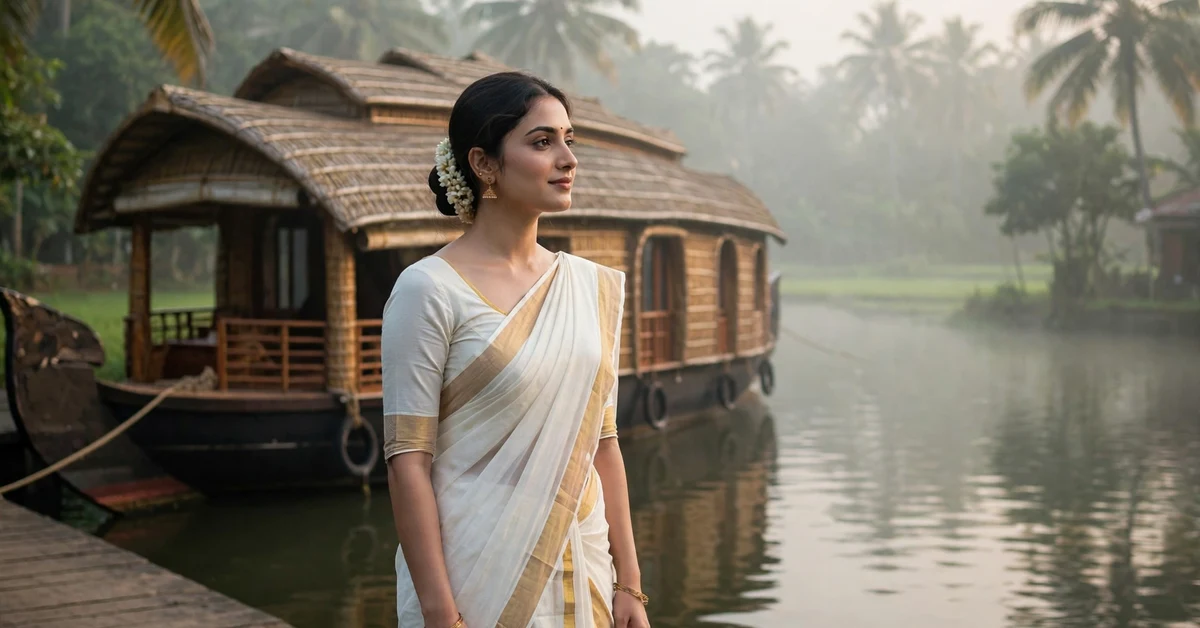
5. Backwaters Boat Drift
Clips: One or two clips from a boat, a lakeside walk, or a quiet water view. Slow the water movement to 0.5x and let the clip run a little longer than usual, because water scenes need time to feel peaceful. Join clips with a fade, add a slow pan across the water using keyframes, and place cuts on soft music changes rather than hard beats. Keep text small and low on the screen, and choose a natural green-blue grade without pushing saturation too far.
6. Saree Twirl in Soft Light
Clips: One clip of a saree twirl, a hair movement, or a smile in soft indoor or evening light. Slow only the twirl itself to 0.4x to 0.5x, keeping the steps before and after at normal speed so the slow part feels special. Add a slight zoom-in during the twirl, sync the widest point of the fabric with a musical peak, and use a warm, soft filter. Keep the background uncluttered if you can, because a busy background distracts from the movement.
7. Temple Festival Glow Transition
Clips: Two clips from a festival or temple visit: one of lamps, decorations, or a crowd, and one close portrait or detail shot. Slow the lamp or decoration clip to 0.5x so the glow feels steady, then use a light-leak or dissolve transition into the portrait. Add the song name or a short festive greeting as text, keep the filter warm and golden, and avoid stacking too many effects on the same clip. One glow effect plus one transition is enough.
8. Childhood Home Photo Slideshow
Photos: Four to six photos of a home, a village lane, or family moments, in the order the memory happened. Give each photo about 1.5 to 2 seconds on screen, add a very slow zoom to each one, and join them with dissolve transitions. Let one photo stay longer than the others if it is the emotional centre of the reel, and place that photo on the most meaningful lyric. A consistent warm filter across all photos makes different old photos feel like one story.
9. Rainy Train Window Journey
Clips: A window view from a train or bus, plus a short clip of you looking out. Slow the window view only slightly, to 0.6x, so passing trees and rain still feel natural, and keep your own clip at normal speed for contrast. Add a slow pan on the window shot, join the clips with a gentle fade, and add route text such as a town name only if you are comfortable sharing it. Use a warm travel filter and let the music guide the cuts.
10. Book and Coffee Morning Aesthetic
Clips: Two or three short clips: a book opening, a cup being set down, and sunlight through a window. Keep each clip short, slow the most beautiful movement to 0.5x, and join the clips with soft dissolves. Add minimal text, perhaps one word such as “morning” or “calm”, and keep the filter warm and slightly faded. This idea depends on steady hands and good light more than on any effect, so film near a window when you can.
11. Couple Silhouette at Sunset
Clips: One backlit clip of a couple walking or standing against a low sunset sky, so their shapes are dark against the colour. Slow the walk or turn to 0.5x with a smooth speed change, because jerky speed changes show clearly against a plain sky. Add a slow zoom-out at the end to reveal more sky, place the turn on the song’s soft peak, and protect the natural orange and pink colours instead of adding a heavy filter. Always post couple clips only with the other person’s permission.
12. Paddy Field Breeze Pan
Clips: One wide clip of a paddy field, a garden, or trees moving in the wind. Slow the movement to 0.5x and add a slow sideways pan with keyframes so the frame never feels frozen. Let the clip run for four to six seconds, which is longer than a fast reel clip, and use no transition at all if it is a single shot. Add a small location name as text, choose a natural green filter, and keep the music gentle. Wind and greenery suit this style perfectly.
13. Birthday Memory Photo Zoom
Photos: Three to five birthday photos in time order, ending with the most recent one. Apply a slow zoom-in to each photo, starting wide and ending closer, and join them with blur transitions of about 0.8 seconds. Place the final photo on the happiest lyric or beat, add the person’s name or a short wish as text, and keep the filter warm and bright. Avoid birthday stickers and confetti effects if you want the aesthetic look; the photos themselves should carry the emotion.
14. Night Lights Street Walk
Clips: One or two clips walking through a lit street, market, or town at night, with shop lights behind you. Slow the main walk to 0.5x, keep any crossing or turn at normal speed to break the rhythm, and use a flash transition only once, if at all. Add a slow pan across the lights in the second clip, cut on soft beats so the lights seem to change with the music, and choose a cinematic night filter that keeps blacks clean rather than grey and noisy.
15. Farewell Look-Back Slowmo
Clips: One clip of a person walking away and looking back once, filmed from behind or from the side. Keep the walk at normal speed, then slow the look-back to 0.4x so the glance becomes the emotional peak of the reel. Add a gentle zoom-in during the look, place it on a lyric about leaving or returning, and end the reel with a short fade to black or a final still photo. Do not add extra effects after the look-back; the ending should feel quiet.
How to Edit a Malayalam Aesthetic Reel in CapCut: Step by Step
Step 1: Start a 9:16 project. Open CapCut, tap New Project, and select your clips and photos in story order. Set the canvas to 9:16 for Reels from the start, so text, zooms, and transitions sit correctly and nothing important is cropped later.
Step 2: Trim tightly, then leave room. Cut dead seconds from the start and end of each clip, but keep one extra second around the moment you plan to slow down. Slow motion stretches time, so you need spare frames before and after the slow section to ramp in and out smoothly.
Step 3: Set the base speed. Select a clip, open Speed, and try Normal first, then Curve for the slow section. Lower the curve line where you want slow motion and keep it higher elsewhere, with a gentle slope between the two. A sudden vertical drop in the curve looks jerky, especially in calm aesthetic edits.
Step 4: Add photo movement. For each photo, add keyframes: one at the start and one at the end, with a small zoom or pan between them. A zoom from 100% to about 108% looks premium; a zoom to 130% looks shaky and soft. Apply the same direction of movement across photos when you can, so the slideshow feels planned.
Step 5: Add transitions last, not first. Join clips with dissolve, blur, or fade transitions of 0.6 to 1 second. Test each transition at full preview, because a transition that looks good in the thumbnail can feel slow in the finished reel. Use one transition style for most joins and a different one only for the emotional peak.
Step 6: Music, text, and filter. Add your song, then drag clips so the slow moment lands on a lyric change or a soft beat. Add short text only where it adds meaning, apply one warm filter at low strength to every clip and photo, and watch the full reel twice before exporting. Fix timing problems now, because they are much harder to forgive after posting.
Settings and Colour Tips for the Aesthetic Look
The Malayalam aesthetic look is mostly about restraint. Warmth, softness, and steady movement matter more than any single filter name. In CapCut, pick a warm or vintage-style filter, then lower its strength to around 40% to 60% instead of using it at full power. Full-strength filters often make skin look orange and skies look unnatural, while a gentler filter keeps the scene believable.
Brightness and contrast deserve the same light touch. Raise brightness slightly for indoor clips, lower highlights a little for bright outdoor clips, and avoid pushing contrast hard, because hard contrast kills the soft, dreamy feeling. If CapCut shows saturation controls, keep them near normal; the goal is warm, not loud. For night clips, prefer a filter that keeps blacks dark and clean, and accept a little grain rather than over-brightening the whole scene.
For export, choose 1080 x 1920 for a standard 9:16 Reel, with the frame rate CapCut suggests for your project, commonly 30fps. A medium-high quality or bitrate setting is enough; social apps compress the video again anyway, so the maximum setting mainly makes the file bigger. Export once, watch the exported file on your phone, and only then post it.
Common Malayalam Aesthetic Editing Mistakes to Avoid
Slowing everything down. If every clip is slow, nothing feels special. Keep the build-up and ending at normal speed, and reserve slow motion for one or two moments per reel.
Too many transitions. Five different transitions in a 20-second reel look accidental. Pick one main transition style and use it consistently, saving a special transition for the peak moment only.
Over-filtering photos. A different heavy filter on every photo breaks the story. One consistent warm filter, applied gently, makes mixed old and new photos feel like one memory.
Text covering faces. Long captions placed in the middle of the frame hide the moment. Keep text short, place it at the top or bottom, and check it on a small phone screen before exporting.
Ignoring the music. A beautiful slow moment placed randomly in the song feels weak. Align the slowest point with a lyric change, a soft beat, or a musical peak, and the same edit will feel twice as emotional.
Too much digital zoom. Heavy keyframe zoom looks soft and shaky. Stay roughly within 100% to 115% for photos and clips, and let the slow motion, not the zoom, carry the drama.
Troubleshooting: Choppy, Blurry, and Out-of-Sync Edits
Choppy slow motion: The clip was probably shot at 30fps and slowed too far, or the speed curve drops too suddenly. Record at 60fps when your phone supports it for future clips, raise the slow speed towards 0.5x, and make the curve slope gentler. Also note that a struggling phone can make the preview stutter while the exported file is fine, so always judge the exported file.
Blurry photos after zoom: Check that the original photo is sharp and high resolution, and that your keyframe zoom is not too strong. A low-resolution photo from an old chat app will soften quickly when zoomed, so for those photos use a slow pan instead of a zoom, or keep them still with a dissolve transition.
Transitions feel too slow: Shorten the transition to 0.5 to 0.8 seconds, or switch from dissolve to a quicker blur transition. Long transitions suit a single emotional change, but repeated one-second dissolves make a reel feel sleepy rather than calm.
Music feels out of sync after export: Nudge the music track slightly in the timeline and export again. Small shifts happen when clips are trimmed after the music is placed, so finalise clip lengths before fine-tuning the music position.
Colours look different after posting: Social apps compress every upload, so some change is normal. Reduce the damage by exporting a clean 1080 x 1920 file, avoiding very dark or noisy clips, and uploading on a stable connection. If your exported file looks clean on your phone, you have done your part.

Frequently Asked Questions
Do I need a template link to make a Malayalam aesthetic reel in CapCut?
No. Every idea here is built manually with CapCut’s speed, transition, keyframe, text, and filter tools. Template links and shared project files exist in the CapCut community, but you do not need one for this tutorial, and none is provided here.
What is the best slow motion speed for aesthetic reels?
For most clips, 0.5x is the safest aesthetic range. Use 0.4x only for a short emotional peak, such as a look-back or a twirl, and only if the clip was shot at a good frame rate. Treat these as starting points and preview every change on your own footage.
Why does my slow motion look choppy?
Usually because the clip was recorded at 30fps and slowed below 0.5x, so there are not enough real frames to stretch. Record at 60fps when your phone supports it, or keep 30fps clips at 0.5x or above, and make the speed curve slope gently.
Which transitions suit Malayalam aesthetic edits best?
Dissolve, blur, fade, and gentle zoom transitions suit this style best, because they melt one scene into the next. Hard cuts, spins, and glitch transitions suit fast dance edits, but they break the calm mood of an aesthetic reel.
How long should each photo stay on screen?
About 1.5 to 2 seconds per photo works well for most slideshows, with the emotional centre photo staying a little longer. Shorter than one second feels rushed, and longer than three seconds per photo can feel slow unless the photo itself is very strong.
Will Instagram reduce my aesthetic reel quality?
Instagram compresses every upload, so some loss is normal. Reduce the damage by exporting a clean 1080 x 1920 file at a medium-high quality setting, avoiding very dark or noisy clips, and uploading on a stable connection.
Conclusion
A good Malayalam aesthetic reel is not about a secret template. It is about three habits: choosing one calm moment per reel, slowing only that moment with a gentle speed curve, and joining scenes with soft transitions and one consistent warm filter. Start with three easy ideas, the golden hour walk, the photo slideshow, and the tea pour, then try the harder silhouette and look-back edits. Soon you will be building your own aesthetic style instead of copying anyone else’s.
Related Guides
Keep learning with these guides from Rajan Template:
- CapCut 5 photo beat sync template guide – timed photo edits that pair well with slow aesthetic slideshows.
- VN cinematic slow motion template guide – speed-curve ideas for smoother slow motion in any app.
- Diwali CapCut template guide – festive editing ideas with warm colours and glow transitions.
- 3 photos edit CapCut template guide – short photo edits that work beautifully as aesthetic reels.